Zero
agents to install on monitored servers. Reads system views, msdb, the default trace, the error log and WMI, and checks that backup files exist.
SQL Data Collector watches your SQL Servers from one agentless Windows service: backups, restore points, drive space, patch levels, failed jobs, and who holds what permission. When the auditors arrive, it gives you a sealed attestation PDF to hand them instead of a stack of spreadsheets.
SQL Data Collector is a new product, tested so far in a handful of large SQL Server environments and now open to a limited number of early-access customers before general release.

SQL Data Collector is a new product. It has been tested in a handful of large SQL Server environments, and before general release we are opening it to a limited number of early-access customers. The trade is straightforward: run it in a real estate, tell us what breaks and what is missing, and get a 40% early-access discount on the first-year licence.
The 40% discount covers the first-year licence only; licences are annual and issued per install. Places are limited, and early access ends at general release. Renewals stay 20% off list for as long as the subscription continues without a lapse.
Request early accessThe Permissions Audit dashboard captures logins, fixed server-role and database-role memberships, and object- and column-level grants and denies. It resolves Active Directory group nesting so inherited access shows its full path, and turns the SOX access review into three deliberate steps. Version 7.14.0.0 does not capture server-level permissions such as CONTROL SERVER, database- or schema-level grants made directly to users, roles nested in other roles, or database users without a login.
An exception-based, risk-sorted review queue. Certified access stays quiet until that principal's captured access changes or is due for recertification. Suspicious grants captured by the change trace must be investigated with a written outcome before anything can be sealed.
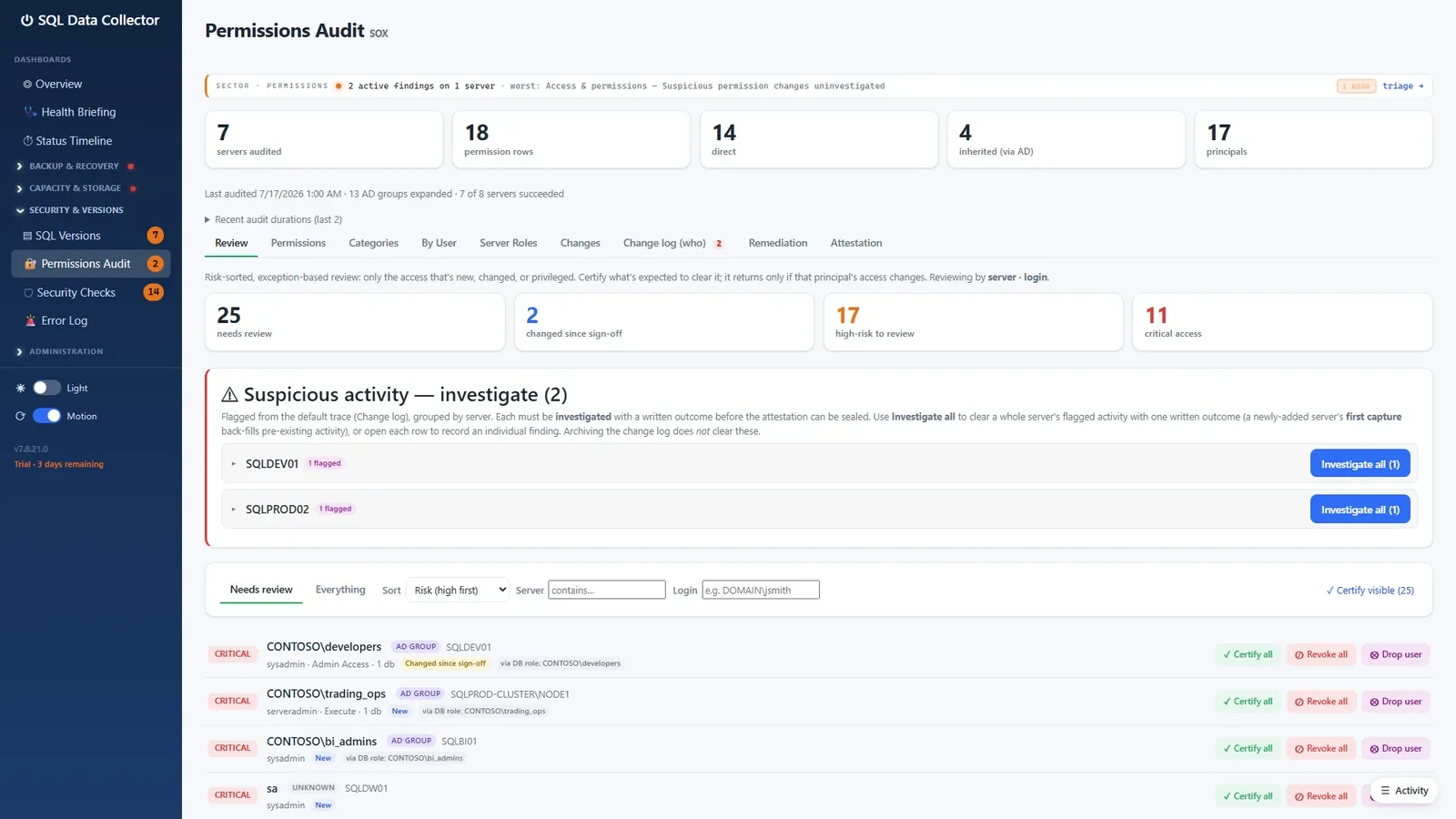
A revoke becomes a DBA remediation task with a generated T-SQL script. The next audit pass checks that the revoked access no longer appears in its capture and records the result. Access that reappears after a verified removal is flagged CRITICAL on its own.
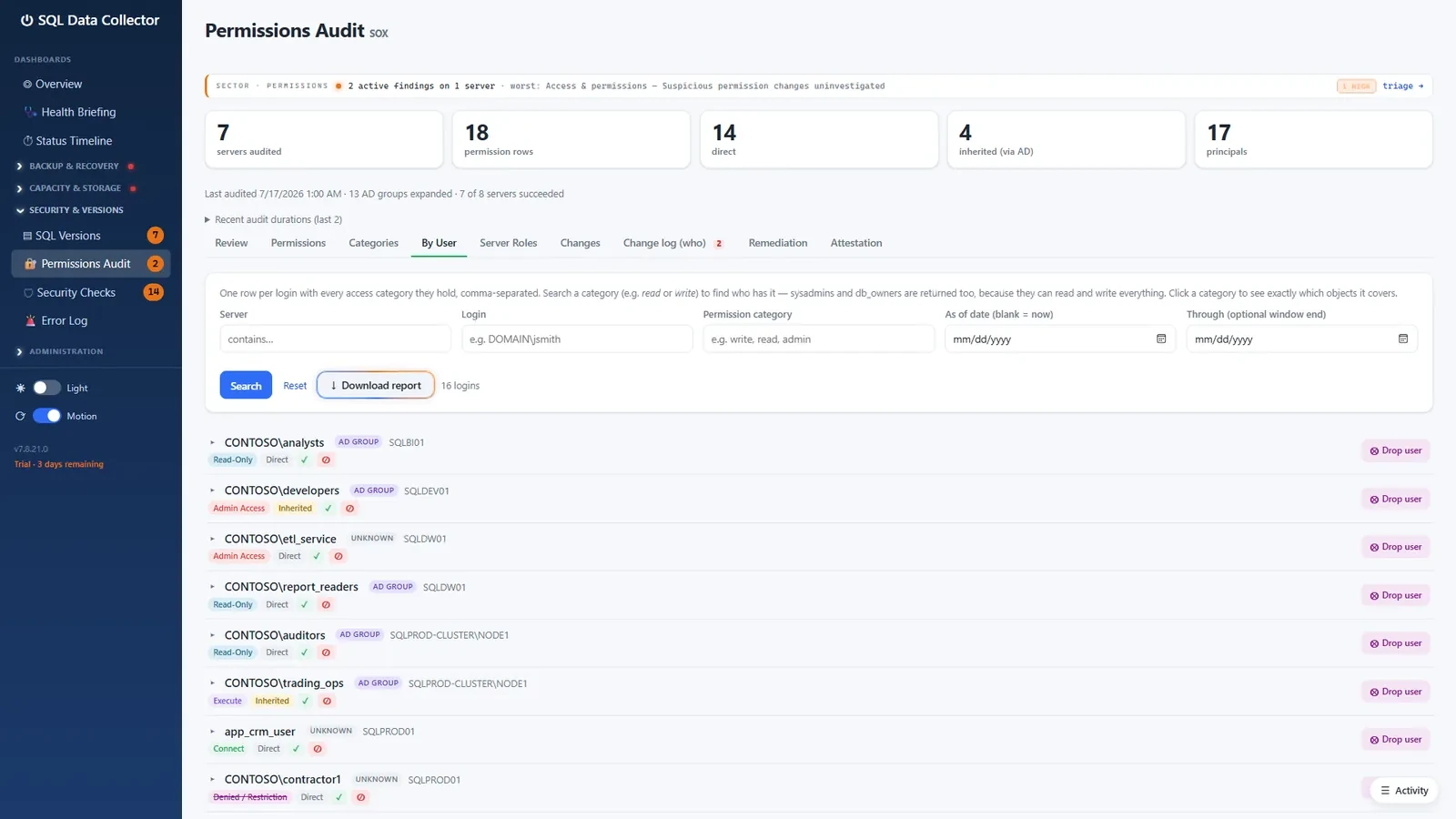
Separation of duties is enforced by default: at least one signer must have made no decisions. Once every item is decided, every remediation is verified and every suspicious change is investigated, a user with the console's Auditor role seals the attestation: the PDF carries a CERTIFIED COMPLETE stamp, and its SHA-256 fingerprint is recorded.
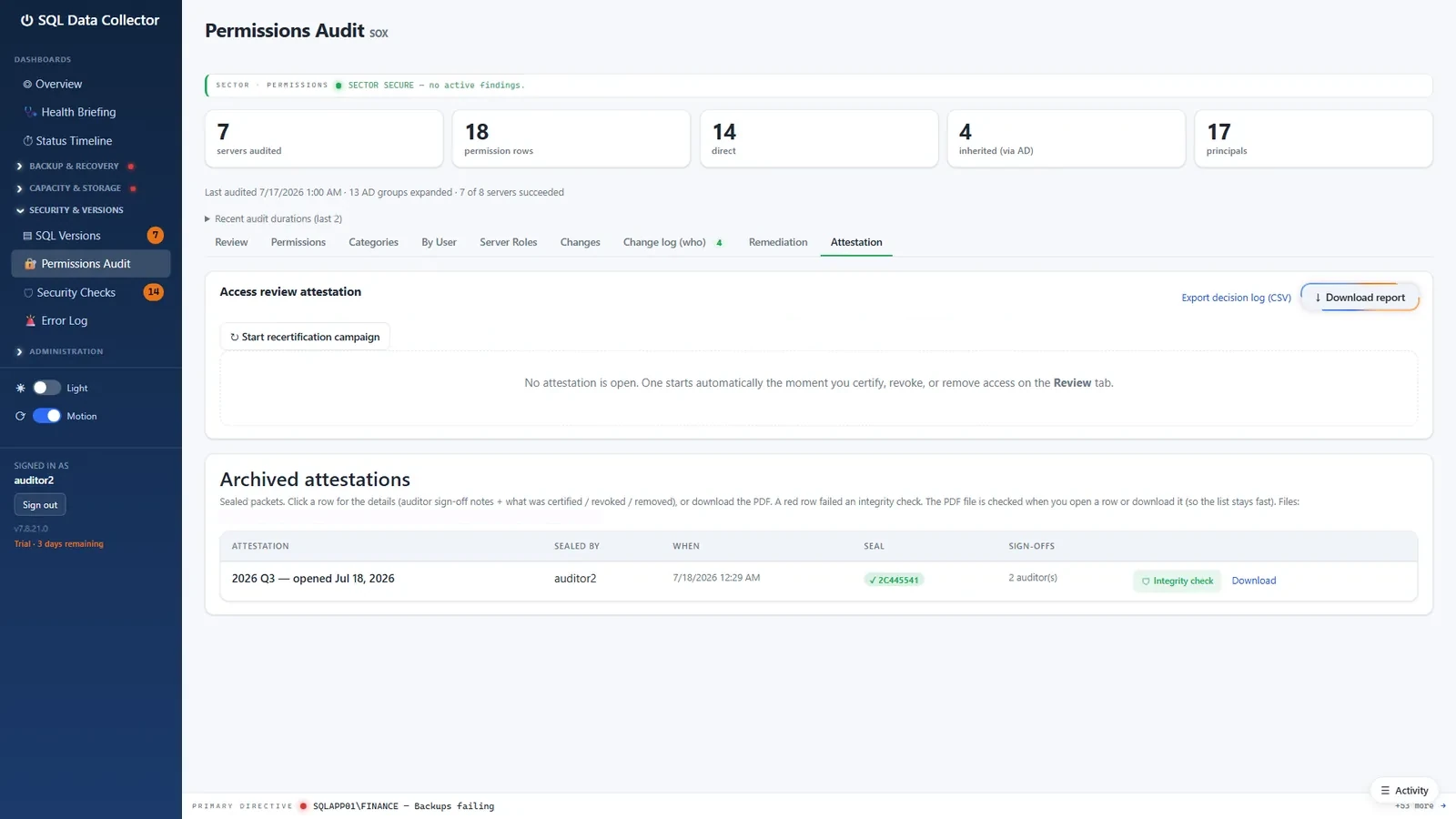
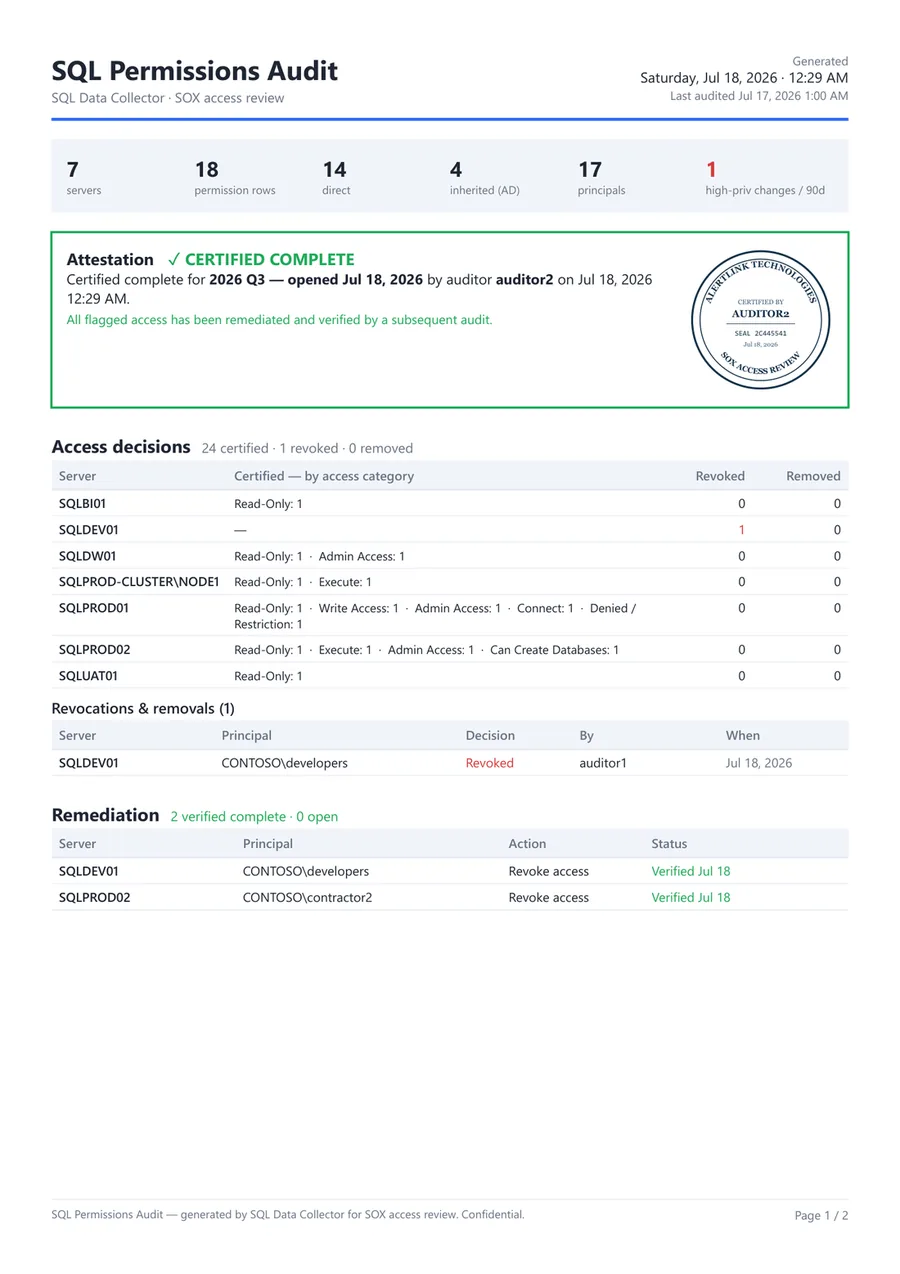
Every sealed attestation is a self-contained report: scope, who certified it, certified access by category, each revocation and removal, and the remediation trail. The console re-checks the file's hash each time it is opened or downloaded, so a modified packet turns red.
One console, two sign-offs, one download. The permission inventory, the review decisions, and the sealed report are all produced by the same tool that already monitors your estate.
Each area is its own dashboard with a fleet roll-up, per-server drill-down, and deep links from the Health Briefing to the dashboard where each finding is fixed.
Full, differential, and log freshness per database, failures from SQL Agent history, size anomalies, and Availability Group awareness: group the monitored replicas once and backups are followed to whichever replica ran them.
The latest point each database can be restored to according to its backup history, broken log chains and missing backup files, with future-dated backups flagged in the Health Briefing. Five assignable RPO levels set the thresholds per database.
True volume capacity via WMI, fill rate, and days-until-full runway per volume. Capacity changes are logged as an audit trail and database files on the OS drive get called out.
Build and patch level per server against a SQL Server build list you import or edit, reboot age, and end-of-support dates so the upgrade conversation happens before the audit does.
Failed and flaky jobs across the fleet with acknowledge, plus a failure history so recurring problems are visible as a pattern rather than a surprise.
Per-server hardening checks, a read-only scan of each SQL Server error log with recurrence roll-ups, and a login audit for the console itself.
Backup duration and size trends with slow-run detection, and per-database size history so growth is measured, not guessed.
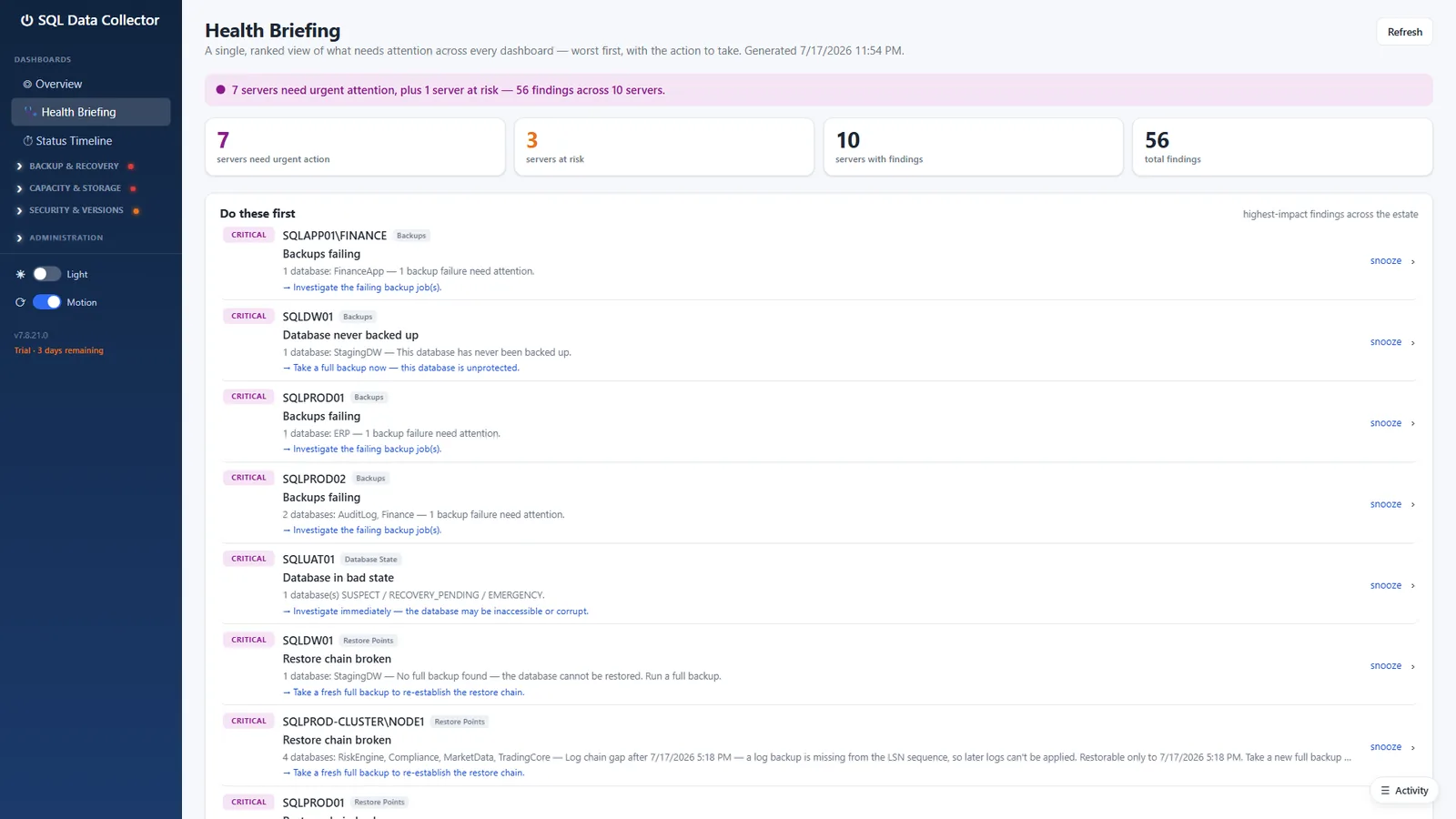
A deterministic, ranked list of what needs attention across the dashboards, worst first, each with the action to take and a link to where it is fixed. Snoozes are reasoned and expire.
One server's open findings, backups, restore points, drives, version and patch level, failing jobs and error log on a single page, each section pre-filtered and linked to its full dashboard. The fleet map, heatmap, and search all land here.
Live, animated, and fast: headline numbers are pre-computed on a short interval and served to every browser from the same snapshot. Dark and light themes, per-dashboard access grants, and a keyboard palette for jumping to any server.
The MSI installs a self-contained .NET 8 Windows service on a Windows Server or Windows 10/11 host. It keeps its own database on a SQL Server you choose and connects out to every monitored instance on a schedule.
The collector runs entirely inside your estate. Its only call outside your network is an anonymous check for a signed update file, once a day by default, which you can switch off. Credentials for monitored servers are optional: use the service account, or a SQL login whose password is stored AES-256-GCM encrypted on your own collector database.
Include or exclude any server from any monitor independently. Track a DEV box on SQL Versions while leaving it off Backup Status.
Installs check a signed manifest once a day by default and show a quiet sidebar link when a release is available. No release is ever downloaded or installed on its own.
Every feature is included. You pay per monitored SQL Server instance, per year, in US dollars, and the band price applies to every server in the order.
1 to 10 servers · $190 per server per year list
Not ready to buy? Start with the free 14-day trial below.
Already a customer? Sign in to add servers to your licence.
For more than 200 servers, contact us.
Licences are sold to businesses, for use in their trade or profession.
By buying you agree to the Terms of Service, the EULA and the Refund Policy.
The licence renews automatically each year at the renewal price shown until you cancel. You can cancel at any time from Manage billing in your account when it appears there, from the link in your Paddle receipt email, or by emailing us. We email you a reminder about 45 days before each renewal. Secure checkout by Paddle, our merchant of record. Sales tax is added at checkout where applicable. Card details never touch this site. 30-day refund on your first purchase.
40% off your first year. 20% off every renewal after that.
Available while early access is open, and the renewal discount holds for as long as the subscription continues without a lapse.
| Servers | List | Year one (early access) | Renewal |
|---|---|---|---|
| 8 | $1,520 | $912 | $1,216 |
| 30 | $4,200 | $2,520 | $3,360 |
| 120 | $11,400 | $6,840 | $9,120 |
Licences are annual and cover up to the number of servers purchased. Every purchase can start with the free 14-day trial.
Purchases are processed by Paddle, our merchant of record. Sales tax is added at checkout where applicable.
Request early accessThe installer is not a public download, and early access uses this same form. Tell us a little about your estate: AlertLink Technologies reviews each request within one business day and, if it is approved, sends you the installer link personally.
Introduction, installation and first-run wizard, the main dashboards, and administration.
The same guide as a single PDF for offline reading or attaching to a change request.
A self-contained demo bundle with a seeded eight-server estate and a runbook for the two-person attestation sign-off. Ask us for it.
Licensing, a guided demo, or a question about your estate. We reply from a real inbox.
By post: AlertLink Technologies LLC, PO Box F, Lawrenceburg, TN 38464, USA